
How to Create a Digital Bundle That Sells: A Practical Guide
Selling a large collection of digital files is easy. Convincing someone that the collection is worth buying is the real challenge. How to Create a Digital Bundle That Sells starts with a simple principle: customers are not buying a folder full of files; they are buying a shortcut to a desired result.
A strong bundle can combine templates, printables, graphics, 3D files, ebooks, presets, patterns, or educational resources into one clear solution. But adding more files does not automatically create more value. The best bundles feel curated, organized, relevant, and immediately useful.
If you sell digital products, you can also study how BundleShelf organizes digital products for customers to understand why presentation and delivery matter alongside the files themselves.
In this guide, you will learn how to research demand, choose complementary products, structure your bundle, price it intelligently, create a conversion-focused sales page, and deliver the files professionally. You will also learn why some huge bundles underperform while smaller, carefully curated collections can become strong sellers.
The goal is not to create the biggest bundle. The goal is to create the bundle that makes the buyer think, “This is exactly what I need.”
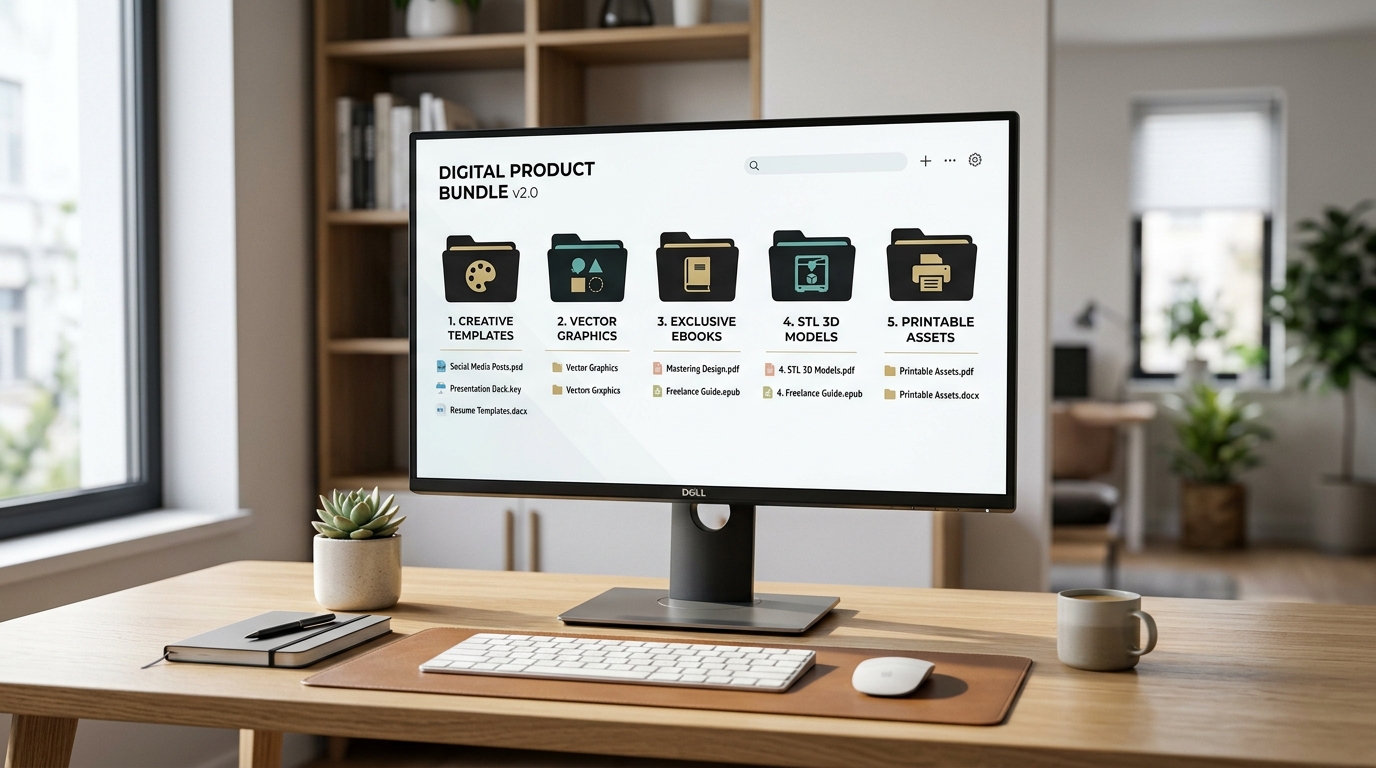
What Makes a Digital Bundle Worth Buying?
Digital bundle: A curated collection of related digital products packaged around a specific customer need, outcome, audience, or use case.
The foundation of How to Create a Digital Bundle That Sells is understanding that quantity is not the same as value.
Imagine two products.
The first contains 2,000 unrelated files. The second contains 120 carefully selected files that help a customer complete a specific project. Even though the first bundle has more assets, the second can be significantly more attractive.
This is because buyers experience something called perceived value. They evaluate not only how much content they receive, but also how useful, relevant, convenient, and trustworthy the offer feels.
Shopify's current guidance on product bundling similarly emphasizes understanding the audience, selecting complementary products, defining the bundle strategy, and communicating the value clearly.
Start With a Buyer, Not a Folder
Before selecting files, define the customer.
Ask:
- Who is this bundle for?
- What are they trying to accomplish?
- What currently makes that process difficult?
- Which resources would save them the most time?
- What would make the purchase feel like an obvious shortcut?
For example, instead of creating a generic “500 SVG Files Bundle,” consider a more specific offer such as:
- 500 SVG Designs for Cricut Christmas Projects
- 200 Printable Montessori Activities for Toddlers
- 150 Social Media Templates for Real Estate Agents
- 300 Ready-to-Print STL Models for Tabletop Gamers
- 100 Macramé Patterns for Beginners
Specificity improves positioning because the customer can immediately recognize themselves in the offer.
The Outcome Is the Product
Your files are the components. The outcome is the product.
A useful mental model is:
Files + Organization + Relevance + Convenience = Perceived Bundle Value
If your bundle contains 500 assets but the customer spends 30 minutes searching for the right file, the perceived value falls.
If the same assets are organized into clear categories, named consistently, previewed visually, and accompanied by instructions, the experience becomes much more valuable.
This is one reason digital product delivery deserves as much attention as product creation. BundleShelf, for example, positions its showcase around helping customers navigate large collections rather than simply exposing a raw folder structure.
How to Create a Digital Bundle That Sells From Existing Products
One of the easiest ways to build How to Create a Digital Bundle That Sells into your workflow is to start with products you already have.
You do not necessarily need to create hundreds of new assets. You can often combine existing products into a stronger commercial offer.

Step 1: Audit Your Existing Products
Create a spreadsheet containing:
| **Product** | **Category** | **Audience** | **Use Case** | **Standalone Price** | **Bundle Potential** |
|---|---|---|---|---|---|
| Product A | Templates | Creators | YouTube | $12 | High |
| Product B | Graphics | Creators | YouTube | $15 | High |
| Product C | Fonts | Designers | Branding | $8 | Medium |
| Product D | Patterns | Crafters | DIY | $10 | Low |
| Product E | Icons | Designers | UI design | $9 | Medium |
Look for products that naturally belong together.
Three templates designed for the same workflow are stronger together than three unrelated templates simply because they are all digital files.
Step 2: Identify Natural Product Families
Strong bundles usually have a common denominator.
That denominator might be:
- The same audience
- The same software
- The same project
- The same season
- The same skill level
- The same aesthetic
- The same problem
- The same desired outcome
For example, a beginner-friendly crafting bundle could contain patterns, instructions, printable templates, and reference sheets.
The customer does not have to wonder why each item is included. Everything contributes to the same objective.
Step 3: Build a Logical Hierarchy
A professional bundle should have a structure.
For example:
Ultimate Creator Bundle
│
├── 01 - Templates
│   ├── YouTube
│   ├── Instagram
│   └── Pinterest
│
├── 02 - Graphics
│   ├── Icons
│   ├── Backgrounds
│   └── Elements
│
├── 03 - Fonts
│
├── 04 - Tutorials
│
└── 05 - Bonus Files
This structure reduces cognitive friction.
Your customer should understand where everything belongs before downloading the first file.
Step 4: Add a “Start Here” File
One of the simplest improvements you can make is adding a short PDF called START-HERE.pdf.
It can contain:
- What is included
- Where each category is located
- Recommended software
- License information
- Installation instructions
- Contact information
- Suggested workflow
This small addition can make a large collection feel like a professionally designed product.
If you are using Google Drive as the underlying storage, BundleShelf's creator guides are also relevant when thinking about how large digital collections should be organized and presented to buyers.
How to Choose the Right Bundle Structure
A major part of How to Create a Digital Bundle That Sells is deciding what kind of bundle you are actually creating.
Not every bundle should follow the same model.
Three Strong Bundle Models
| **Bundle Model** | **Best For** | **Example** | **Main Advantage** |
|---|---|---|---|
| Themed Bundle | Creative assets | 500 Halloween SVGs | Easy positioning |
| Outcome Bundle | Problem-solving | YouTube Creator Kit | Strong perceived value |
| Mega Bundle | Large libraries | 2,000+ assets | High volume appeal |
| Starter Bundle | Beginners | Beginner Macramé Kit | Low purchase friction |
| Professional Bundle | Advanced users | Complete Design System | Higher price potential |
The most important distinction is between quantity-led and outcome-led bundles.
A quantity-led bundle says:
“Look how much you get.”
An outcome-led bundle says:
“Here is everything you need to accomplish this.”
The second approach can create stronger positioning because the buyer does not have to figure out how the pieces fit together.
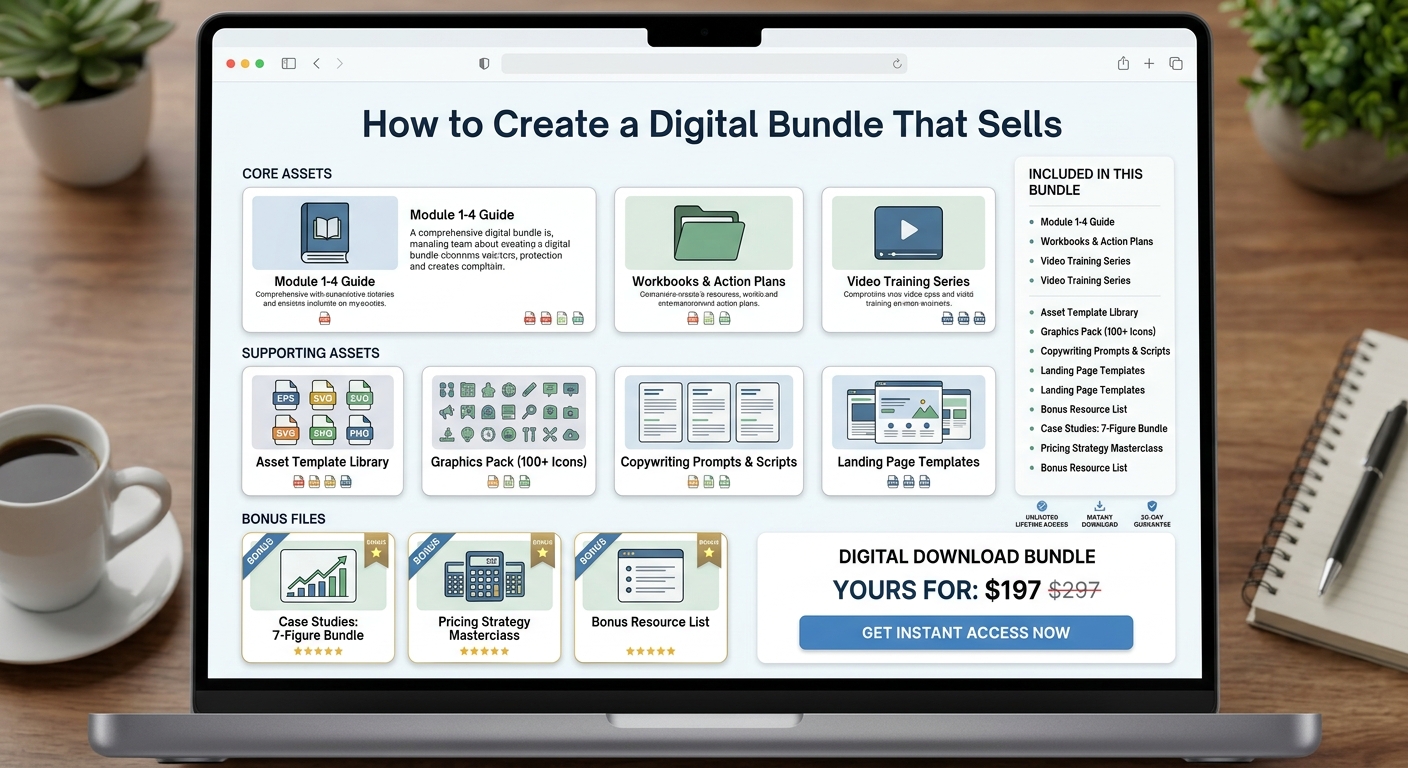
Use a Core + Support + Bonus Framework
A particularly effective structure is:
Core assets → solve the main problem.
Supporting assets → make the core assets easier to use.
Bonus assets → increase perceived value without becoming essential.
For example, a YouTube creator bundle could include:
- 100 thumbnail templates as the core
- 300 graphics as supporting assets
- 50 sound effects as bonuses
- A thumbnail design checklist as an extra resource
This structure is easier to understand than simply advertising “450+ files.”

Avoid the “Everything Bucket”
A common mistake is adding unrelated products simply to increase the number.
Suppose you sell:
- 100 SVGs
- 50 Lightroom presets
- 30 ebooks
- 20 PowerPoint templates
- 200 wallpapers
That may technically be a bundle, but the customer has no clear reason to want all five categories.
More content can actually make the offer harder to understand.
A useful test is:
If removing an asset makes the bundle's promise clearer, remove it.
This is counterintuitive, but curation is part of the product.
Pricing, Bonuses, and Perceived Value
The pricing strategy is where How to Create a Digital Bundle That Sells becomes a commercial exercise rather than a content exercise.
There is no universal “correct” bundle price.
Instead, consider the relationship between:
- Individual product value
- Bundle usefulness
- Customer purchasing power
- Competitive alternatives
- Your audience's trust
- The size and quality of the collection
- Your positioning
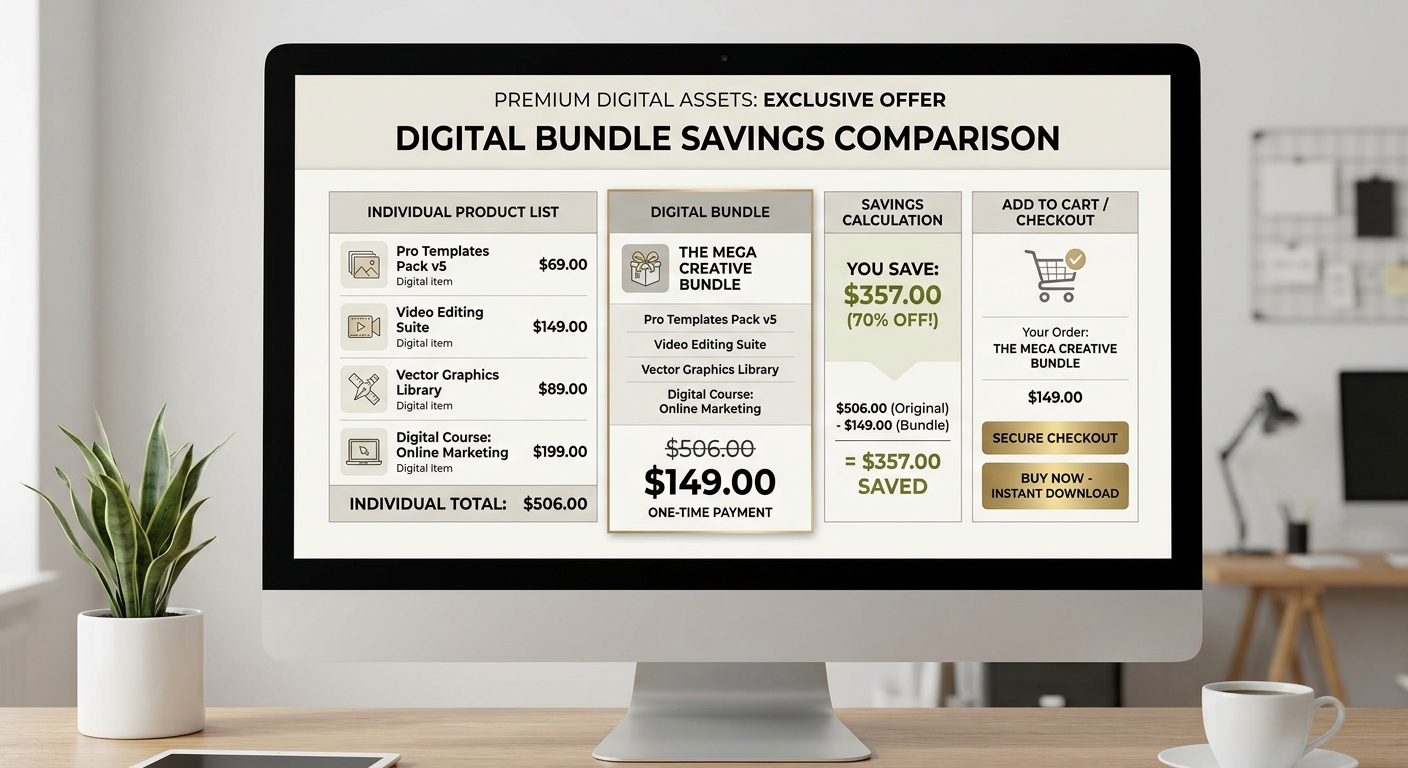
Calculate the Individual Value
Suppose you have:
| **Component** | **Individual Value** |
|---|---|
| 10 Templates | $50 |
| 100 Graphics | $40 |
| 50 Icons | $25 |
| Tutorial | $15 |
| Bonus Pack | $20 |
| Total Reference Value | $150 |
You could potentially price the bundle at $29, $39, $49, or higher depending on the niche and positioning.
But avoid making the discount so extreme that the original value becomes unbelievable.
A claim such as “$2,000 value for $9” can create skepticism if the customer cannot understand how that $2,000 valuation was calculated.
Discount the Friction, Not Just the Price
A strong bundle gives customers a reason to buy now.
That reason could be:
- A launch price
- Seasonal relevance
- A limited bonus
- A new collection
- A larger version replacing an older one
- A customer-only upgrade
- A permanent bundle discount
The strongest offer is not necessarily the cheapest.
It is the one where the customer understands the value immediately.
Use Bonuses Strategically
A bonus should increase the usefulness of the core product.
Good bonuses include:
- Quick-start guides
- Checklists
- Installation instructions
- Commercial-use license upgrades
- Extra templates
- Preview files
- Workflow guides
- Future update access
Bad bonuses are random files added solely to increase the count.
Make the Product Page Sell the Transformation
Once the product itself is strong, How to Create a Digital Bundle That Sells depends heavily on how you communicate the offer.
Your product page should answer five questions quickly:
- What is this?
- Who is it for?
- What do I get?
- What can I do with it?
- Why should I buy it now?
The headline should communicate the outcome before the technical details.
Instead of:
“500+ Digital Design Files”
Try:
“Create Professional YouTube Thumbnails Faster With 500+ Ready-to-Use Assets”
The second headline gives the customer a reason to care.
Show the Product in Use
Do not only show screenshots of folders.
Show the assets being used.
For a printable bundle, show printed pages.
For an STL bundle, show finished prints.
For a design bundle, show finished designs.
For templates, show completed projects.
This is where experience becomes visible.
The customer should be able to imagine the after state.
Make Organization Part of Your Sales Argument
If the bundle contains hundreds or thousands of files, explain exactly how buyers will navigate them.
For example:
“Every file is organized into clearly labeled categories so you can find the right asset without searching through hundreds of unrelated files.”
That statement sells convenience.
A large digital library can become frustrating when delivery is poorly structured. BundleShelf's product positioning specifically addresses this problem by turning Google Drive folders into customer-facing libraries with semantic organization and visual browsing.
Distribution, Trust, and Professional Delivery
A beautiful sales page cannot compensate for a poor post-purchase experience.
Your delivery system should make the customer feel that they bought a professional product.
Digital delivery experience: The complete process a buyer experiences after purchasing a digital bundle, from receiving access to locating, understanding, and using the files.
This includes:
- Download instructions
- File organization
- Naming conventions
- License information
- Software requirements
- Update policies
- Support information
- Refund conditions
Create Consistent File Naming
Avoid:
final.png
final2.png
final_new.png
FINAL_USE_THIS.png
asset_273.png
Use:
youtube-thumbnail-001.png
youtube-thumbnail-002.png
youtube-thumbnail-003.png
Consistency matters when customers have hundreds of assets.
Include Licensing Information
Your license should clearly explain:
- Personal use
- Commercial use
- Client work
- Redistribution
- Resale
- Modification
- Digital product inclusion
- Physical product usage
Do not assume customers understand your license.
Make the rules easy to find.
Creative Market's marketplace documentation illustrates why licensing is an important part of digital asset transactions: customers purchase digital files together with usage rights appropriate to different project types.
Protect the Customer Experience
A buyer should never have to ask:
“Where is the file?”
or:
“Which folder contains the templates?”
or:
“Can I use this commercially?”
The product should answer these questions before support is needed.
SEO, Promotion, and Testing
Creating a great product does not guarantee traffic.
You need a distribution strategy that matches the audience.
For SEO, create content around the problems your bundle solves rather than publishing repetitive pages that simply mention the product.
Google's guidance emphasizes creating helpful, reliable, people-first content rather than content primarily designed to manipulate search rankings.
“Focus on people-first content.” — Google Search Central, search-quality guidance
For example, if you sell a Cricut bundle, useful supporting topics could include:
- Cricut project ideas
- SVG design tutorials
- Beginner Cricut projects
- How to organize SVG files
- Seasonal craft projects
If you sell STL files, build content around:
- 3D printing projects
- Beginner STL projects
- 3D printing organization
- Filament selection
- Slicer workflows
This creates a content cluster around the product rather than forcing the product keyword into every page.
For additional perspective, Creative Market's guide on what creators should sell discusses product selection, reusable resources, and the value of packaging related creative assets together.
Test One Variable at a Time
Track:
| **Metric** | **What It Tells You** |
|---|---|
| Product Page Views | Demand and traffic |
| Add-to-Cart Rate | Offer appeal |
| Checkout Conversion | Purchase friction |
| Average Order Value | Pricing and upsells |
| Refund Rate | Expectation mismatch |
| Support Requests | Delivery problems |
| Repeat Purchases | Long-term customer value |
If visitors arrive but nobody buys, the problem may be positioning.
If people add the product to their cart but do not complete checkout, investigate price, payment friction, trust, or unclear expectations.
If sales are strong but refunds are high, your marketing may promise more than the product delivers.
Common Myths
Myth: Bigger bundles always sell better.
Not necessarily. More files can create more perceived value, but only when the assets remain relevant.
Myth: The cheapest bundle wins.
Price is only one part of the decision. Convenience, quality, organization, licensing, previews, and trust also influence purchasing.
Myth: You need thousands of files.
A focused collection can outperform a massive but poorly curated library because the customer understands its purpose immediately.
Myth: The bundle is finished once the files are uploaded.
Delivery, documentation, previews, customer support, and future updates can all influence the perceived quality of the product.
A Repeatable Bundle Creation Checklist
Use this workflow whenever you launch a new collection.
Step 1: Define the Buyer
Write one sentence describing the target customer and their desired outcome.
Step 2: Define the Promise
State what the customer can accomplish after purchasing.
Step 3: Select the Core Assets
Choose only the files directly connected to the promise.
Step 4: Add Supporting Assets
Include resources that make the core assets easier or faster to use.
Step 5: Add Relevant Bonuses
Use bonuses to increase utility rather than inflate the file count.
Step 6: Organize Everything
Create logical categories, consistent filenames, previews, and a START-HERE document.
Step 7: Set the Price
Compare the reference value with your audience, positioning, competition, and perceived outcome.
Step 8: Build the Sales Page
Lead with the transformation, then explain what is included.
Step 9: Deliver Professionally
Make access, licensing, instructions, and support obvious.
Step 10: Measure and Improve
Monitor conversion, refunds, questions, and customer feedback after launch.
This process turns How to Create a Digital Bundle That Sells from a one-time project into a repeatable product-development system.
Frequently Asked Questions
Q: What makes a digital bundle attractive to buyers?
A: A strong bundle solves a clear problem, targets a specific audience, contains complementary products, and makes the value easy to understand.
Q: How many files should a digital bundle contain?
A: There is no universal number. A smaller, highly relevant collection can be more valuable than thousands of unrelated files.
Q: Should I offer a discount on my digital bundle?
A: A discount can help communicate value, but it should support a credible pricing strategy rather than make the original price look artificial.
Q: How should I organize a large digital bundle?
A: Use logical categories, consistent filenames, previews, documentation, and a simple starting point that tells customers where to begin.
Q: How do I write a better product description?
A: Start with the customer's desired outcome, explain who the bundle is for, show what is included, demonstrate use cases, and clarify licensing and delivery.
Q: Can a small digital bundle outperform a huge bundle?
A: Yes. Relevance and usability often matter more than raw file count. A focused collection can communicate its value much faster.
Q: What should I include as a bonus?
A: Choose bonuses that improve the main product, such as guides, checklists, templates, installation instructions, or useful complementary assets.
Q: How do I know whether my bundle is actually selling?
A: Track traffic, product-page engagement, add-to-cart rate, conversion rate, refunds, support questions, and repeat purchases rather than looking only at revenue.
Conclusion
The real lesson behind How to Create a Digital Bundle That Sells is simple: do not sell a pile of files; sell a clear outcome.
Start with a specific customer and problem.
Select complementary assets that support that outcome.
Remove anything that creates confusion.
Then package the collection with logical organization, strong previews, transparent licensing, professional delivery, and a product page that communicates value quickly.
The strongest bundles feel curated rather than accumulated.
Your next step is to audit the digital products you already have. Group related assets, identify the strongest customer outcome, create a core collection, add useful supporting resources, and build a simple offer around it.
If you approach bundling as product design rather than file aggregation, How to Create a Digital Bundle That Sells becomes a repeatable framework you can apply to templates, printables, STL files, graphics, courses, patterns, ebooks, presets, and almost any other downloadable product.
Start small, measure the response, and improve the bundle based on real customer behavior.