How to Deliver Etsy Digital Products With Google Drive
A practical guide to delivering large Etsy digital products through Google Drive while keeping the buyer experience simple, organized, and professional.
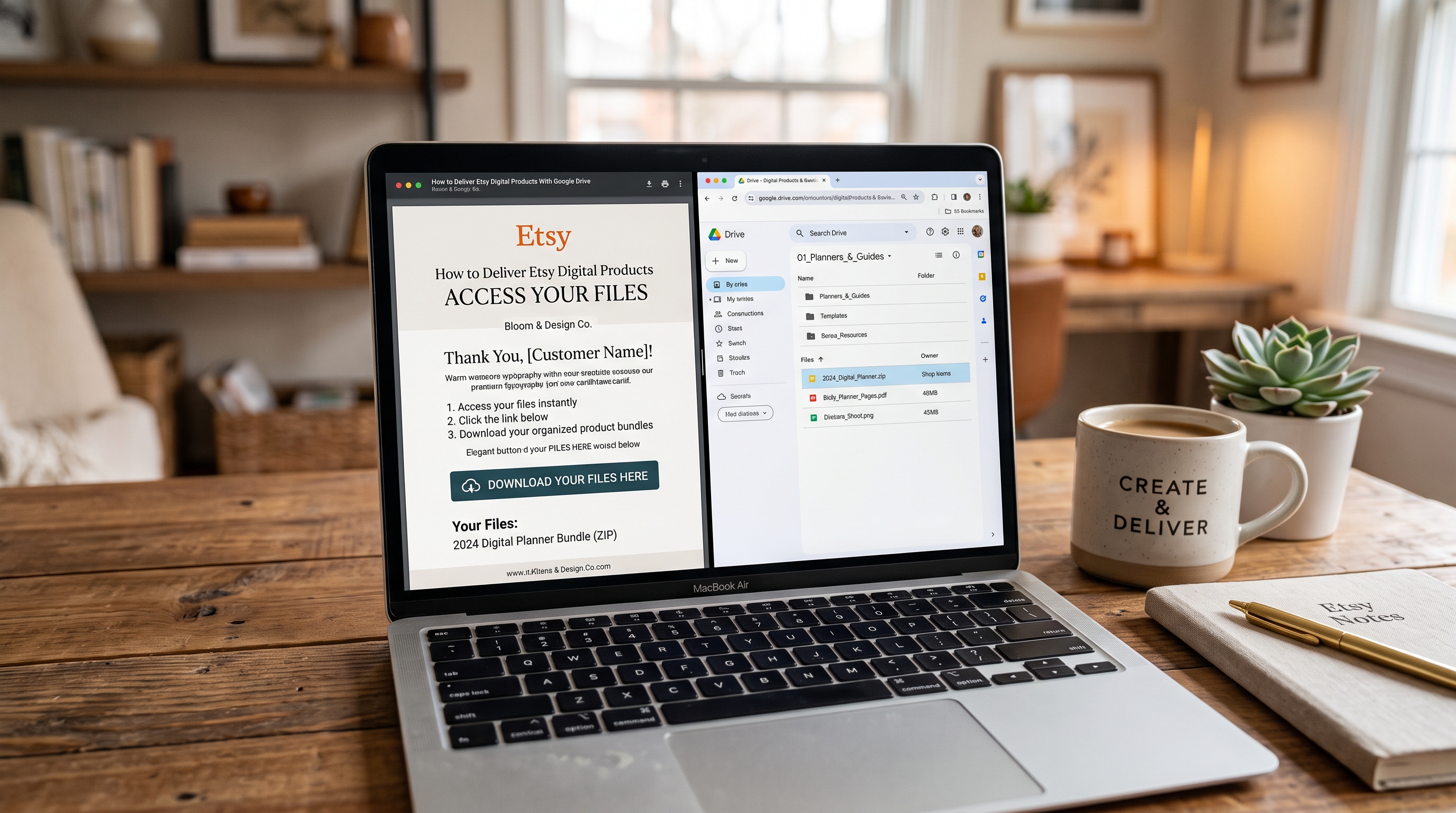
Selling digital products on Etsy sounds simple until your files become too large for Etsy's built-in upload limits. High-resolution artwork, large printable bundles, SVG collections, 3D files, video assets, and hundreds of templates can quickly create a delivery problem.
How to Deliver Etsy Digital Products With Google Drive solves that problem by separating the Etsy purchase experience from the storage location of your larger files. Instead of forcing every asset into Etsy's upload system, you can provide a small delivery PDF containing a Google Drive access link.
This approach is particularly useful for sellers offering large digital bundles. Etsy currently allows sellers to upload up to five digital files to an instant-download listing, with a maximum size of 20 MB per file.
The important question is not simply whether Google Drive can store your files. It can. The real question is how to build a delivery workflow that is easy for buyers, reliable for you, and clear about what the customer purchased.
In this guide, you'll learn how to organize your files, create the Google Drive folder, generate the delivery PDF, configure permissions, test the complete buyer experience, compare alternative delivery methods, and avoid the most common mistakes.
For sellers building a larger digital-product catalog, you can also explore the resources available through BundleShelf and review the site's available content and article structure as part of your broader digital-product strategy.
Why Google Drive Is Useful for Large Etsy Digital Products
Etsy's native digital delivery system is convenient because buyers can access instant-download files after payment. However, the platform has practical file-size and file-count restrictions that become important when you sell large collections.
For example, imagine a seller offering 300 high-resolution PNG illustrations. Uploading each asset separately would be impractical even if the files were small enough individually.
A better structure is to use Etsy for the transaction and Google Drive for the larger asset library. The Etsy listing delivers a lightweight PDF, while that PDF points the buyer toward the actual product files.
Digital delivery PDF: A lightweight PDF containing instructions, product information, and a Google Drive access link used to deliver larger Etsy digital products.
This structure is especially useful for:
- Printable collections
- High-resolution wall art
- SVG and PNG bundles
- Large Cricut or cutting-file collections
- 3D-printing STL libraries
- Lightroom presets and creative assets
- Educational resources
- Large template collections
The key advantage is organization. Instead of treating every asset as an individual Etsy attachment, you create one controlled delivery point.
Etsy itself distinguishes between instant downloads and made-to-order digital products. Instant downloads are available after payment confirmation, while made-to-order files are delivered after the seller completes the work. For a ready-made bundle, the instant-download workflow is usually the most straightforward.
Google Drive vs Etsy Native Delivery
| Feature | Etsy Native | Google Drive | Hybrid |
|---|---|---|---|
| Large collections | Limited | Excellent | Excellent |
| Buyer experience | Very simple | Extra click | Simple |
| Organization | Basic | Excellent | Excellent |
| File-size flexibility | Limited | High | High |
| Easy updates | Limited | Excellent | Excellent |
| Best for large bundles | Sometimes | Yes | Best overall |
The hybrid approach is usually the most practical compromise: Etsy handles the purchase and initial delivery, while Google Drive stores the large collection.
Step 1: Decide What Belongs on Etsy
Before uploading anything, identify the files the buyer actually needs immediately.
Your Etsy attachment should normally be a small, clearly named delivery document. The larger product collection can remain inside your Drive folder.
This keeps your listing cleaner and makes future updates easier.
Step 2: Create a Dedicated Google Drive Folder
Create one folder for each Etsy product rather than placing every product inside one enormous master folder.
This structure reduces customer confusion and makes support much easier.
Step 3: Upload the Final Product
Only upload finished files. Avoid leaving work-in-progress material, internal notes, editable source files, or unrelated products inside the customer-facing folder.
Use consistent naming conventions such as:
- 01_Floral_PNG
- 02_Botanical_SVG
- 03_Printable_JPG
- 04_Bonus_Templates
Clear organization is part of the product experience.
How to Deliver Etsy Digital Products With Google Drive
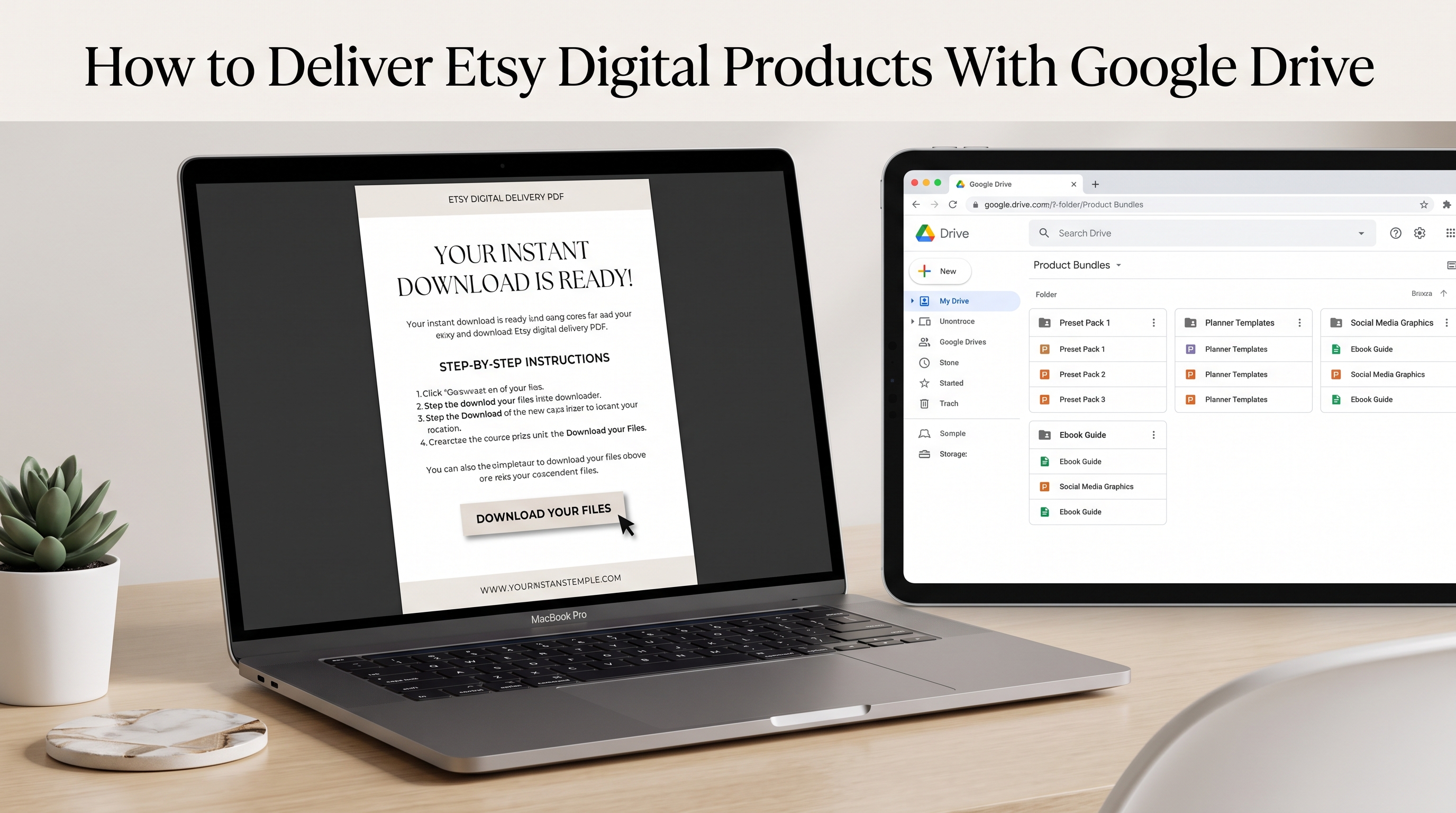
The most practical workflow begins with a simple principle: Etsy should remain the place where the customer purchases the product, while Google Drive acts as the storage and access layer for the larger files.
This distinction matters because buyers should never have to wonder whether they are purchasing from Etsy or being redirected to another store.
Step 1: Prepare Your Google Drive Folder
Create a dedicated folder for the product and upload the final assets. Then select the folder's sharing settings.
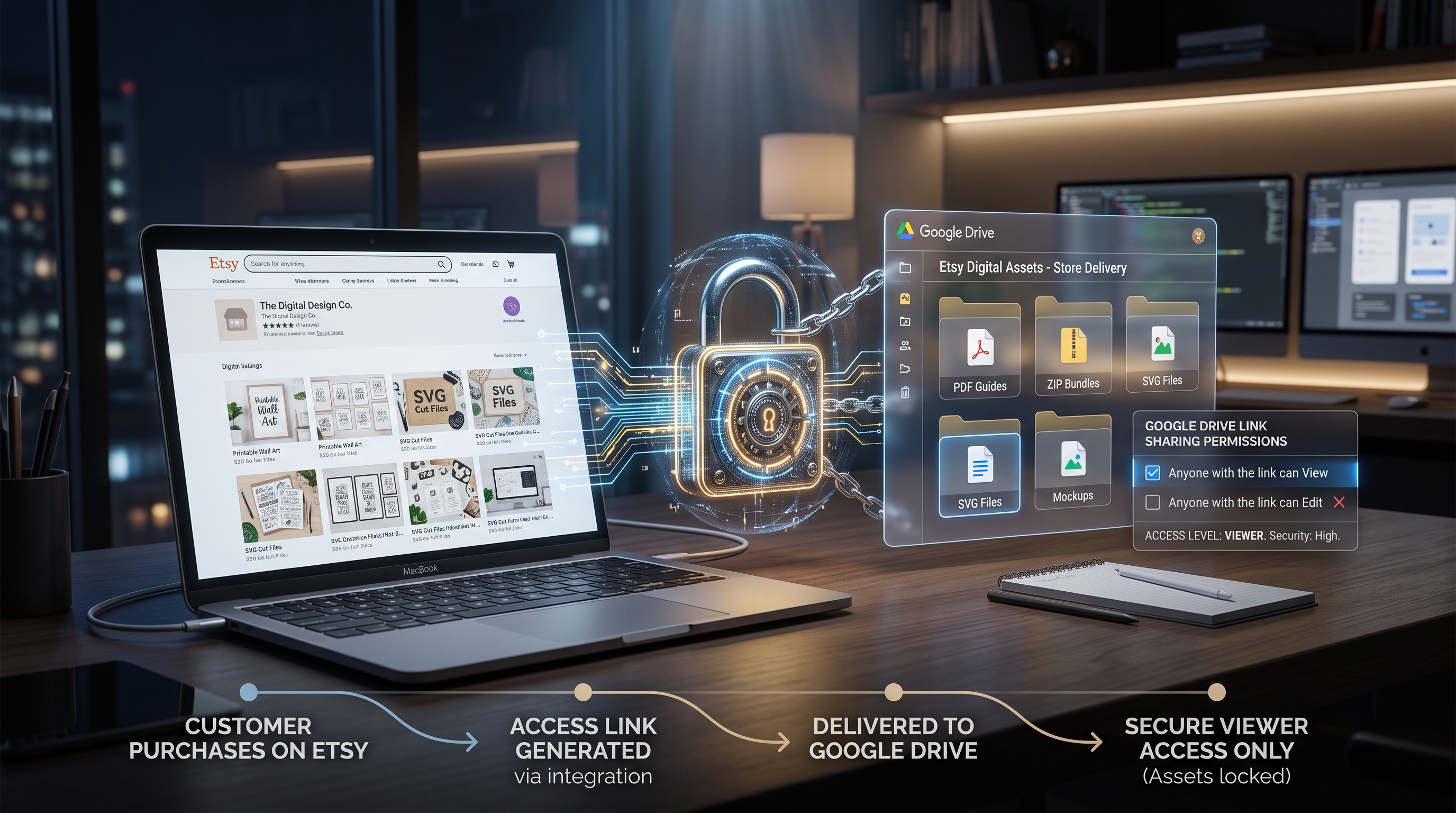
For a simple public-link workflow, set the general access option to Anyone with the link and choose Viewer permissions.
Google confirms that link sharing can make a file or folder accessible to anyone who possesses the link, and Viewer access allows users to open files without giving them editing privileges.
Never use Editor access for a customer delivery folder.
Step 2: Copy the Folder Link
Once permissions are configured, copy the Google Drive folder URL.
Keep this URL private from your public marketing material if the folder represents a paid product. The delivery PDF should be the controlled route through which your Etsy customer receives it.
Step 3: Build a Professional Delivery PDF
Create a simple PDF that tells the customer exactly what to do.
A good delivery PDF can contain:
- A thank-you message.
- A prominent Download Your Files button or linked text.
- A short description of the included files.
- A license reminder.
- Basic extraction instructions if the files are compressed.
- A support instruction telling customers to contact you through Etsy.
THANK YOU FOR YOUR PURCHASE!
Your digital files are ready.
CLICK HERE TO ACCESS YOUR COMPLETE DOWNLOAD
Included:
• 200+ PNG files
• 100+ SVG files
• Bonus templates
• Commercial-use license
If you experience any problem accessing your files, please contact us through Etsy Messages.
The PDF should feel like part of the product rather than an improvised workaround.
Step 4: Upload the PDF to Etsy
When creating the Etsy digital listing, upload the delivery PDF as the digital file.
Etsy's current documentation says sellers can attach up to five files to an instant-download listing, with each file limited to 20 MB.
The buyer then receives the PDF through Etsy's normal digital-download experience.
Buyer
↓
Etsy Purchase
↓
Etsy Download
↓
Delivery PDF
↓
Google Drive
↓
Large Product Collection
That workflow is the foundation of How to Deliver Etsy Digital Products With Google Drive.
Building a Better Buyer Experience
A technically functional delivery system can still create bad reviews if customers don't understand what to do.
Your goal should be to eliminate uncertainty.
The customer should know:
- Where the files are.
- How to access them.
- Whether a Google account is required.
- What software is needed.
- What is included.
- Where to ask for help.
Google's documentation explains that people with the link can access content when general access is enabled, and users can be assigned Viewer, Commenter, or Editor roles.
For paid downloads, Viewer is the safest default.
Make the Delivery PDF Obvious
Don't hide the Google Drive URL in a paragraph.
Click the button above to open your Google Drive folder.
No editing permissions are required.
This reduces support questions.
Explain ZIP Files
Large collections are often compressed into ZIP files.
Download the ZIP file, save it to your device, and extract it before opening the individual files.
Etsy also explains that ZIP files contain one or more files and may need to be extracted before use.
Add a START HERE File
A START_HERE.pdf inside the Drive folder is one of the simplest ways to improve the customer experience.
It can explain:
- What the customer purchased.
- How the folders are organized.
- Which software opens the files.
- Usage rights.
- Printing recommendations.
- Support instructions.
This turns a random Google Drive folder into a structured digital product.
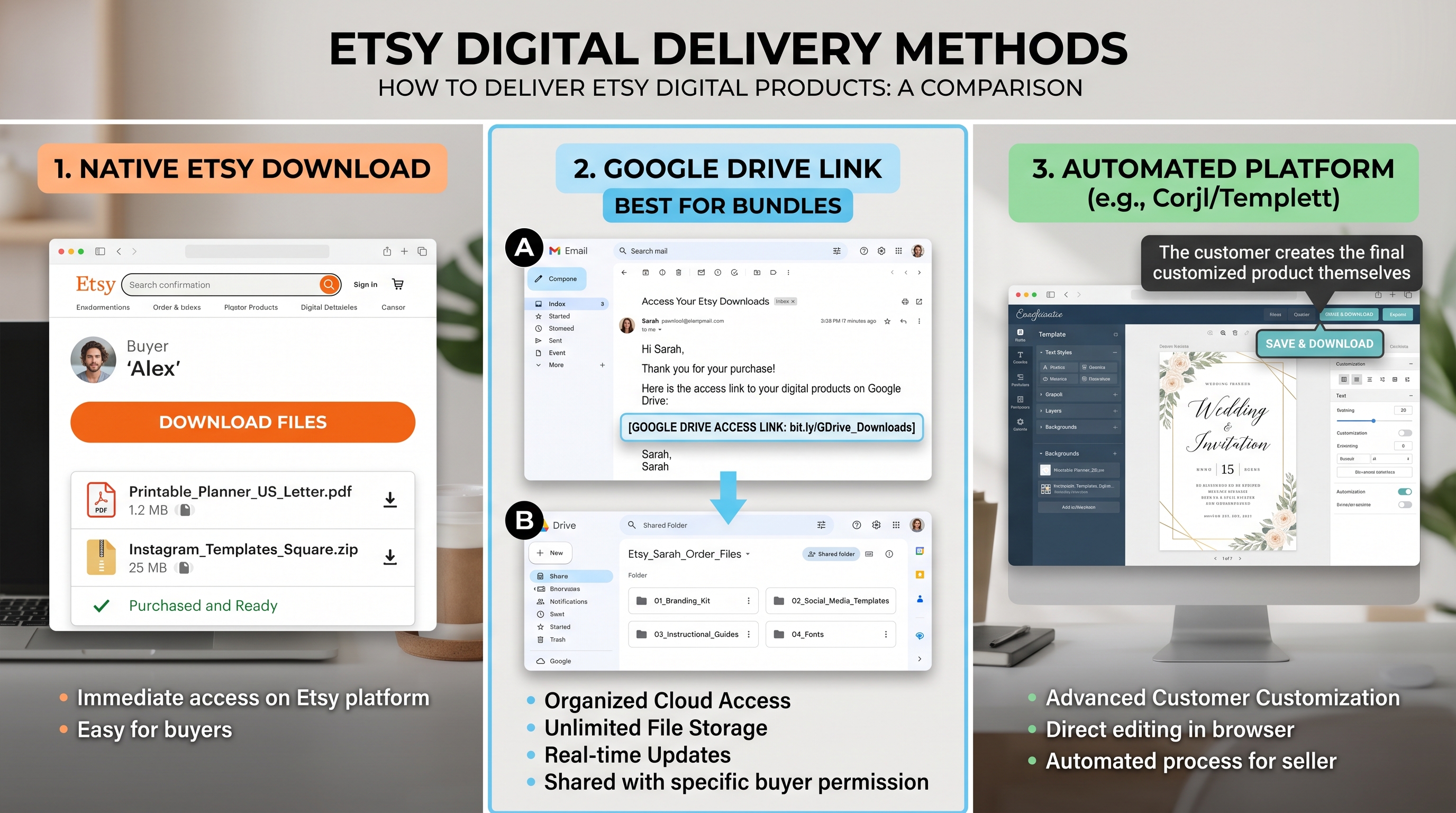
Delivery Method Comparison
| Method | Setup | Large Bundles | Buyer Simplicity | Updates | Recommended Use |
|---|---|---|---|---|---|
| Etsy files only | Very easy | Low | Excellent | Medium | Small products |
| Google Drive PDF | Easy | Excellent | Good | Excellent | Large bundles |
| Dropbox link | Easy | Excellent | Good | Excellent | Large files |
| Dedicated platform | Medium | Excellent | Excellent | Excellent | Growing stores |
| Hybrid Etsy + Drive | Medium | Excellent | Very good | Excellent | Most large bundles |
The best method depends on your product size and sales volume.
For a small printable containing five lightweight files, Etsy's native system is usually simpler. For a bundle containing hundreds of assets, a hybrid approach can make management much easier.
Security, Permissions, and Common Mistakes
The biggest weakness of Google Drive is also its biggest convenience: the link can be shared.
Google explicitly states that when you allow access to anyone with the link, anyone who possesses that link can open the shared content.
That means Google Drive is not a sophisticated license-verification system.
If one customer posts the link publicly, other people may be able to access the files.
This doesn't necessarily make Drive unsuitable. It means you should understand the trade-off before building your entire business around it.
Common Mistake #1: Giving Editor Access
Never give customers Editor permissions simply because they need to download files. Viewer access normally provides what a customer needs.
Common Mistake #2: Sharing Your Entire Product Library
Do not create one folder called:
and place every Etsy product inside it.
Create separate folders:
- Product_A/
- Product_B/
- Product_C/
- Product_D/
This limits accidental exposure.
Common Mistake #3: Moving or Deleting the Folder
If your delivery PDF points to a folder and you delete or replace it, your customers may suddenly see a broken link.
Maintain the original customer-facing folder whenever possible.
Common Mistake #4: Forgetting to Test the Link
Always test the purchase experience as a buyer.
- The Etsy file downloads.
- The PDF opens.
- The link works.
- The Drive folder opens.
- The files can be downloaded.
- No unwanted permissions are requested.
- The product contains exactly what the listing promises.
A five-minute test can prevent hours of customer support.
Common Mistake #5: Using Delivery to Move the Sale Off Etsy
There is an important distinction between delivering a product purchased on Etsy and using Etsy to redirect customers toward an external transaction.
Your Google Drive link should deliver the product the customer already purchased. It should not tell the buyer to pay elsewhere, purchase a different version from another store, or bypass Etsy's checkout.
Because Etsy policies can change, review the current Seller Policy and digital-listing rules before implementing a new delivery system.
When Google Drive Is the Right Choice
Google Drive is most useful when your primary problem is file size and organization.
It is less attractive when you need advanced delivery controls.
For example, a seller with 20 sales per month and a collection of large printable bundles may find Drive perfectly practical.
A seller processing thousands of orders may eventually want a dedicated digital-delivery service with unique download links, automated fulfillment, analytics, or stronger access controls.
This is where the decision becomes strategic rather than technical.
Pros
- Excellent for large collections.
- Easy to organize folders.
- Easy to replace or update files.
- Familiar interface for many buyers.
- Low technical complexity.
- Works well with Etsy's small delivery-file limitation.
Cons
- Shared links can be redistributed.
- Access is not inherently tied to individual Etsy orders.
- Customers may need an extra click.
- Broken permissions can interrupt delivery.
- Large public folders require careful organization.
For sellers comparing alternatives, a useful competitor resource is OrderFiles' guide to Etsy and Google Drive delivery, which discusses the practical trade-offs of using shared Drive links versus dedicated digital-delivery systems.
The important takeaway is not that one system is universally superior. It is that the delivery method should match your product size, order volume, and tolerance for manual support.
When You Should Consider Another System
Consider a dedicated delivery platform when:
- You need unique links for individual orders.
- You want expiring downloads.
- You need better download analytics.
- You sell extremely valuable digital assets.
- You have a high order volume.
- Link sharing has become a serious business concern.
For smaller shops, however, adding unnecessary technology can create more problems than it solves.
Start with the simplest reliable workflow.

Testing and Optimizing Your Delivery Workflow
The final step is not uploading the PDF. It is testing the entire customer journey.
Think of delivery as a mini conversion funnel:
Purchase
↓
Download Notification
↓
Etsy Download Page
↓
Delivery PDF
↓
Google Drive
↓
File Download
↓
Successful Product Use
Every additional step creates another opportunity for confusion.
Create a Buyer Test
Before publishing your listing, simulate a customer.
If someone has never used Google Drive before, could they understand this in less than one minute?
If the answer is no, improve the instructions.
Test on Multiple Devices
Test your workflow on:
- Windows
- Mac
- iPhone
- Android
- Mobile browser
- Desktop browser
Etsy currently states that digital purchases cannot be downloaded through its mobile app, so buyers may need to use Etsy through a browser or computer for the Etsy download stage.
This is especially important because your customers will not all have the same technical setup.
Keep Your Listing Accurate
If your product is delivered through a PDF containing a Google Drive link, make the delivery method clear.
Don't promise: "Instantly download 500 files directly from Etsy."
Instead explain: "Download a PDF from Etsy containing access to your complete Google Drive collection."
Clear expectations reduce confusion and support requests.
Use a Simple Support Script
When a customer cannot access the files, don't send a long technical explanation.
- Confirm they downloaded the Etsy delivery PDF.
- Ask them to click the included Drive link.
- Confirm the folder opens.
- Check whether the files are visible.
- Ask them to try another browser if necessary.
- Provide a replacement delivery file if the original link is broken.
The goal is to solve the problem, not prove that the customer made a mistake.
For official information about how Google Drive permissions and link sharing work, Google Drive's official sharing documentation provides the authoritative reference for current permission settings.
Myths About Etsy and Google Drive Delivery
Myth: Google Drive Means You Are Selling Outside Etsy
Not necessarily.
If the buyer purchases the product through Etsy and the Google Drive link simply provides access to the purchased files, the storage location and payment transaction are separate concepts.
However, sellers should avoid using delivery links to redirect buyers toward external purchases or alternative payment methods.
Myth: Customers Must Have a Google Account
Not always.
Google Drive supports link sharing where people with the link can access content without necessarily signing into a Google Account, depending on the sharing configuration and account restrictions.
Still, test the exact configuration you intend to use before publishing it.
Myth: Google Drive Automatically Protects Your Files
It does not.
A shared link is still a shared link. Google provides permission controls, but a general "Anyone with the link" setup does not identify individual Etsy purchasers.
Myth: Bigger Products Always Need Google Drive
No.
If your files fit comfortably within Etsy's current digital-upload limits, native Etsy delivery is usually simpler.
Google Drive becomes more attractive when file size, quantity, organization, or update frequency makes Etsy's native system inconvenient.
FAQ
How do I deliver Etsy digital products with Google Drive?
A: Upload your large product collection to a dedicated Google Drive folder, configure appropriate viewing permissions, create a small PDF containing the access link, and upload that PDF as the digital file attached to your Etsy listing.
Can I use Google Drive for large Etsy digital bundles?
A: Yes. Google Drive can be useful for large collections that are difficult to fit within Etsy's digital-upload limits. The buyer receives the delivery document through Etsy and then accesses the larger collection.
Do Etsy buyers need a Google account to download files?
A: Not necessarily. If your Google Drive sharing settings allow access to anyone with the link, buyers may be able to open the folder without signing in. Always test your exact configuration.
Should I give Etsy customers Editor access to Google Drive?
A: No. Customers generally only need Viewer access. Editor permissions can allow people to modify or manage files and should not normally be used for customer delivery.
Is Google Drive secure enough for digital products?
A: It can be suitable for many low- to medium-volume sellers, but it is not a dedicated digital-rights-management system. Anyone who receives a broadly shared link may potentially share it with someone else.
What should my Etsy delivery PDF contain?
A: Include a clear download link, product name, included-file summary, basic instructions, license information, and a short support message. Keep the document simple enough for a first-time buyer to understand immediately.
Should I use one Google Drive folder for all my Etsy products?
A: No. A separate customer-facing folder for each product is safer and easier to manage. It also reduces the risk of accidentally exposing unrelated products.
Is Google Drive better than Etsy's built-in digital delivery?
A: Neither is universally better. Etsy's native delivery is simpler for smaller products, while Google Drive becomes useful when you need to distribute larger collections. A hybrid workflow often provides the best balance.
Conclusion
The best delivery system is not necessarily the most sophisticated one. It is the system that reliably gets the correct product into the customer's hands with as little confusion as possible.
For sellers with large collections, How to Deliver Etsy Digital Products With Google Drive provides a practical workflow: keep the Etsy transaction on Etsy, use a lightweight delivery PDF, store large assets in dedicated Drive folders, use Viewer permissions, organize files clearly, and test everything before publishing.
The biggest weakness is shared-link access. Google Drive does not know which Etsy customer purchased your product, so it should not be treated as a complete anti-piracy or order-verification solution.
For a growing digital-product shop, start simple. Build a clean folder structure, create a professional delivery PDF, document your process, and monitor the questions customers ask.
Once your sales volume grows enough to justify stronger access control and automation, you can move toward dedicated delivery infrastructure.
The important thing is to create a delivery experience that feels intentional rather than improvised. When customers can purchase, access, understand, and use their files without friction, your digital product business becomes easier to operate and easier to scale.